Your Unified Communications as a Service (UCaaS) platform may be capable of much more than your organization realizes.
Cloud communications technology continues to evolve rapidly, with artificial intelligence (AI), automation, advanced analytics, and customer engagement capabilities becoming increasingly available within platforms that businesses already use.
Features that once required dedicated contact center solutions, including intelligent call routing, AI receptionists, automated conversation summaries, and workflow automation, are now available through many UCaaS providers.
But there's an important question IT and business leaders should be asking:
As your UCaaS platform continues to evolve, is your organization taking full advantage of its capabilities?
Many businesses invest in cloud communications technology but rarely revisit their original configurations, licensing arrangements, integrations, or operational workflows.
Over time, that can lead to missed opportunities, unnecessary expenses, and customer experiences that no longer reflect how the business operates.
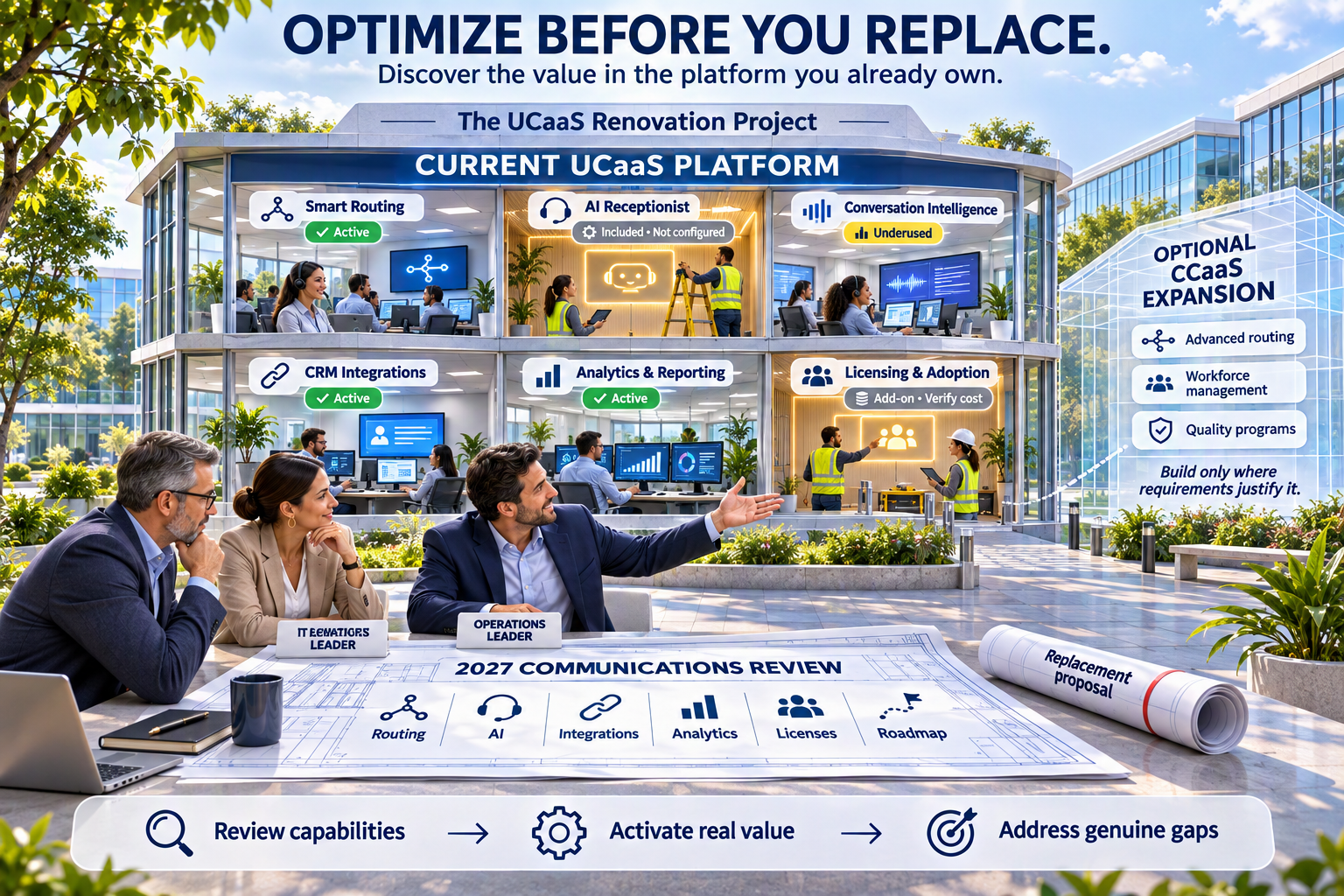
Before investing in additional technology or considering a migration to a dedicated Contact Center as a Service (CCaaS) platform, it makes sense to evaluate what you already have.
Here are seven practical areas to review when optimizing your UCaaS environment.
1. Review Your Call Flows, IVR Menus, and Routing Configuration
When was the last time someone at your organization called your main business number and experienced the entire process from a customer's perspective?
Call flows and Interactive Voice Response (IVR) menus are often configured during the initial UCaaS deployment and receive little attention afterward.
Meanwhile, organizations change.
Departments are reorganized, employees leave, office hours shift, and customer expectations evolve. Yet the phone system may continue operating according to outdated configurations.
Even a well-designed call flow can become a source of customer frustration if it no longer reflects your business.
What to Review
Evaluate your existing call handling configuration, including:
- IVR menus: Are menu options current, easy to understand, and directing callers to the appropriate departments?
- Call routing: Are business hours, after-hours rules, and escalation paths accurate?
- Automatic Call Distribution (ACD): Are calls reaching the right employees or queues?
- Queue management: Are hold times, overflow settings, and call distribution rules working effectively?
- Language support: Can customers access the language options your organization promotes?
- Voicemail: Are messages reaching the correct employees, and are shared mailboxes being monitored?
- Missed and abandoned calls: Are there recurring patterns that suggest routing or staffing problems?
Pay special attention to seasonal business requirements, including holidays, promotional campaigns, and periods of increased customer demand.
Temporary changes to operating hours, employee availability, and overflow routing should be reflected in your communications environment.
Practical Ways to Improve Your Call Flows
Conduct a customer experience test. Call your own organization during business hours and after hours. Navigate the menus, request different departments, and test voicemail and escalation paths. Document any incorrect transfers, outdated messages, or unnecessary steps.
Audit your public-facing phone numbers. Confirm that your website, Google Business Profile, online directories, and other customer-facing resources display the correct contact information. Incorrect phone numbers can create customer frustration before callers even reach your IVR.
Evaluate intelligent virtual agents. If your organization experiences high call volumes or frequent after-hours inquiries, consider whether an AI receptionist or intelligent virtual agent (IVA) could answer common questions, route calls, and improve availability.
A relatively simple call flow review can uncover opportunities to improve customer experience without purchasing additional technology.
2. Audit Your UCaaS AI Features, Licensing, and Consumption
AI is becoming an increasingly important part of cloud communications.
Depending on your UCaaS provider and subscription, your organization may have access to AI-powered receptionists, conversation intelligence, automated summaries, transcription, and employee assistance tools.
However, availability doesn't necessarily mean adoption.
Some businesses are paying for AI capabilities they rarely use. Others may not realize certain features are already included in their subscriptions.
And as providers introduce new consumption-based pricing models, understanding how AI usage is measured becomes increasingly important.
What to Review
Start by examining your current AI entitlements and usage:
- Which AI capabilities are included in existing licenses?
- Which features require additional subscriptions or premium licensing?
- Does your contract include AI minutes, interactions, or usage credits?
- How much of your available allocation is being used?
- Are you approaching consumption limits that could trigger additional charges?
- Are employees using the AI features available to them?
- Have new capabilities been introduced since your last account review?
AI pricing models can differ significantly between providers.
Some features are licensed per user, while others are billed according to minutes, interactions, or usage credits. Depending on the agreement, unused allowances may expire rather than carry forward.
Understanding these differences is essential when evaluating the actual cost and value of AI.
Practical Ways to Maximize Your AI Investment
Request a detailed AI consumption report. Work with your UCaaS provider to compare licensed capabilities, actual usage, and recurring charges. Identify unused entitlements and opportunities to adjust your licensing.
Launch targeted AI adoption initiatives. Identify teams that could benefit from capabilities such as automated call summaries or conversation intelligence. Provide training, establish measurable objectives, and evaluate whether these features improve productivity.
The objective isn't simply to use more AI.
It's to ensure the AI capabilities you're paying for are delivering measurable business value.
3. Measure the Performance of Your AI Receptionist or Virtual Agent
Deploying an AI receptionist is an important step toward modernizing customer communications.
But implementation is only the beginning.
An AI receptionist that answers calls but frequently misunderstands requests, provides outdated information, or transfers customers incorrectly may create more frustration than value.
Organizations should regularly evaluate whether their AI-powered customer engagement tools are delivering the intended outcomes.
What to Measure
Review key performance indicators such as:
- Percentage of interactions successfully handled
- Percentage of inquiries resolved without human intervention
- Frequency of transfers to live employees
- Incorrect or unsuccessful transfers
- Customer abandonment rates
- Repeated questions and misunderstood requests
- Customer satisfaction, where measurable
- Common inquiries the AI cannot resolve
Where supported, review interaction transcripts, conversation summaries, and transfer outcomes to identify patterns.
It's also important to evaluate the information your AI receptionist relies on.
Business hours, locations, services, policies, and internal processes change. If your AI knowledge base isn't updated, customers may receive incorrect information.
Your AI receptionist should also communicate in a way that reflects your organization's brand and customer service standards.
Practical Ways to Improve AI Receptionist Performance
Review unsuccessful interactions regularly. Identify the most common reasons customers request a human representative, abandon the interaction, or experience incorrect transfers. Use these findings to improve prompts, workflows, and routing instructions.
Maintain an accurate AI knowledge base. Assign responsibility for reviewing business information, including operating hours, services, locations, and frequently asked questions. Test the AI after significant business or configuration changes.
For contact centers, the ultimate measure of success is not simply how many interactions the AI handles.
It's whether customers reach the right outcome with less effort.
4. Identify Integration and Workflow Automation Opportunities
Your UCaaS platform doesn't operate in isolation.
For many organizations, communications technology is closely connected to customer relationship management (CRM) systems, help desk applications, scheduling platforms, and business productivity tools.
As UCaaS providers expand their integration ecosystems, organizations may have access to capabilities that weren't available when their systems were initially deployed.
These integrations can reduce repetitive work, improve information accuracy, and make customer interactions more efficient.
Where to Look for Opportunities
Consider whether your existing platform can support:
- Automatic association of call activity with CRM records
- AI-generated summaries saved to customer profiles
- Automated follow-up tasks after customer conversations
- Notifications triggered by missed calls or voicemails
- Help desk ticket creation from customer interactions
- Integration with scheduling or appointment management applications
- Automated updates to customer records
For example, a sales representative may spend several minutes documenting each conversation and creating follow-up reminders.
Integrating UCaaS with the organization's CRM could automate parts of that process, allowing employees to spend more time engaging with customers.
Practical Ways to Improve Integrations
Map repetitive employee workflows. Identify tasks that require manual data entry, switching between applications, or duplicating information. Prioritize processes that occur frequently and could benefit from automation.
Review available native integrations. Ask your UCaaS provider about newly available integrations and improvements to existing connectors. Confirm whether additional licensing, configuration, or third-party services are required.
Sometimes, the next meaningful productivity improvement doesn't come from replacing a platform.
It comes from better connecting the applications your organization already uses.
5. Improve Reporting, Quality Management, and Analytics
Modern UCaaS platforms offer increasingly sophisticated reporting and analytics capabilities.
However, having access to reports doesn't necessarily mean your organization is using the information effectively.
For customer-facing teams, visibility into communication activity can help identify operational problems, improve employee performance, and support better staffing decisions.
What Your Reporting Should Tell You
Depending on your platform's capabilities, evaluate whether managers can easily access:
- Inbound and outbound call volumes
- Missed and abandoned calls
- Average queue wait times
- Service-level performance
- Call activity by department, location, or employee
- Peak call periods and recurring demand patterns
- AI receptionist performance
- Employee quality and coaching insights
Consider whether reporting is available in real time or only through historical dashboards.
Some UCaaS providers offer live queue analytics as premium add-ons, while others include selected capabilities within standard subscriptions.
Understanding Quality Management Capabilities
AI-powered quality management is another area where UCaaS platforms continue to evolve.
Features such as automated interaction scoring, sentiment analysis, conversation intelligence, and coaching recommendations can provide valuable insights into customer interactions.
However, organizations with more sophisticated quality requirements may need additional capabilities, including customizable scorecards, structured coaching workflows, calibration, and comprehensive evaluation reporting.
These requirements may justify investing in specialized quality management tools or evaluating a dedicated CCaaS platform.
Practical Ways to Improve Analytics and Quality Management
Establish a regular reporting review. Identify a small set of meaningful metrics for each customer-facing department. Review trends regularly and assign responsibility for addressing operational problems.
Introduce structured quality evaluations. Use available AI-powered conversation analysis to identify coaching opportunities. Combine these insights with human review, clearly defined scorecards, and documented improvement plans.
The goal is to move beyond collecting data and start using it to improve customer experience and operational performance.
6. Optimize UCaaS Licensing, Adoption, and Recurring Costs
Cloud communications environments can accumulate unnecessary expenses over time.
Employees join and leave, responsibilities change, premium licenses are reassigned, and additional features are introduced.
Without regular reviews, organizations may continue paying for licenses or services that no longer align with business requirements.
What to Review
Conduct a licensing and billing assessment that includes:
- Inactive accounts and departed employees
- Unused or underutilized licenses
- Premium subscriptions assigned to employees who no longer need them
- Shared devices and common-area phones
- Employee adoption of collaboration and mobility features
- Recurring toll-free, international calling, and SMS overages
- Contractual commitments and license reduction provisions
Pay particular attention to recurring overages.
If your organization consistently exceeds its monthly usage allowances, a different subscription or usage bundle may be more cost-effective than paying additional charges each month.
It's also important to understand the terms of your contract.
Some UCaaS agreements allow organizations to adjust license quantities during the contract period. Others limit reductions until renewal or require minimum commitments.
Don't Confuse Low Usage With No Business Need
One important consideration is that employees with low outbound call volumes may still require full UCaaS capabilities.
An employee might rarely place calls but still need a direct business number, voicemail, mobile access, and inbound availability.
License optimization should reflect actual employee responsibilities rather than relying exclusively on call volume reports.
Practical Ways to Reduce UCaaS Costs
Reconcile licenses with employee records. Compare UCaaS accounts against HR and identity management systems to identify departed employees, duplicate accounts, and opportunities to reassign licenses.
Analyze recurring charges and usage patterns. Review several months of invoices to identify persistent overages, premium features with low adoption, and opportunities to right-size subscription bundles.
The objective is not simply to reduce license counts.
It's to align your communications spending with actual business needs.
7. Schedule a Strategic UCaaS Review With Your Provider or Technology Advisor
One of the most overlooked opportunities in UCaaS optimization is engaging directly with your technology provider or trusted advisor.
Cloud communications platforms continue to introduce new functionality, licensing options, and integration capabilities.
If your organization hasn't conducted a comprehensive account review recently, you may be missing opportunities to improve performance or reduce costs.
Your provider's Customer Success Manager, Account Manager, or independent technology advisor can help identify available capabilities and clarify contractual considerations.
What to Include in Your UCaaS Review
A structured business review should address:
- Current licensing and utilization
- Newly available features and product roadmap developments
- AI adoption, consumption, and performance
- Reporting and analytics opportunities
- CRM and application integrations
- Employee training and enablement
- Contract terms and renewal considerations
- Potential changes to staffing, locations, and business operations
It's also worth discussing the flexibility of your existing contract.
For example, can your organization increase or decrease licenses as staffing changes? Are there minimum commitments? Do license reductions require a contract renewal?
Understanding these provisions before your requirements change can help avoid unexpected expenses.
Practical Ways to Get More Value From Your Provider
Establish quarterly business reviews. Use these meetings to evaluate adoption, operational performance, upcoming business changes, and newly available platform capabilities.
Request targeted technical assistance. If your organization relies on complex integrations, ask whether your provider can offer specialist support, configuration reviews, or additional training resources.
Your provider relationship should extend beyond license renewals and technical support tickets.
A productive relationship can help your organization make better technology decisions throughout the life of its communications investment.
When Should UCaaS Optimization Become a CCaaS Evaluation?
Optimizing your existing platform should be the starting point, but it won't always be the final answer.
Some organizations eventually develop requirements that extend beyond what their UCaaS environment can reasonably support.
For example, your business may need:
- Advanced skills-based customer interaction routing
- Sophisticated workforce forecasting and scheduling
- Comprehensive omnichannel customer engagement
- Structured quality management across multiple channels
- More granular compliance and governance controls
- Advanced contact center performance analytics
When these capabilities become essential to operational success, evaluating a dedicated CCaaS solution may be appropriate.
The decision should not be based solely on employee headcount.
Instead, consider how customer interactions need to be managed, how employees are measured, and whether your existing platform can support your business objectives.
A thorough UCaaS assessment can help identify whether your organization needs to optimize existing capabilities, purchase targeted add-ons, or move to a more comprehensive contact center solution.
Optimize Before You Replace
Enterprise communications technology is not standing still.
AI, automation, analytics, and customer engagement capabilities continue to evolve, often faster than organizations can evaluate and adopt them.
Before purchasing additional technology, expanding your communications budget, or initiating a platform migration, take a closer look at the capabilities you already own.
A comprehensive UCaaS optimization review may reveal opportunities to:
- Improve customer experience through better routing and call handling
- Increase employee productivity with AI and automation
- Reduce unnecessary licensing and usage costs
- Strengthen reporting and quality management
- Improve integration between business applications
- Prepare your communications environment for future growth
You may also uncover legitimate gaps that justify a more advanced solution.
The best technology decision isn't always about buying something new. Sometimes, it's about getting more value from what you already have.
How CloudNow Consulting Can Help
At CloudNow Consulting, we help organizations make informed decisions about their cloud communications and contact center technology investments.
Before recommending additional services or a new platform, we focus on understanding your current environment, business objectives, and operational challenges.
Our approach helps organizations identify underutilized UCaaS capabilities, evaluate AI and automation opportunities, review licensing and costs, and determine whether existing solutions can support evolving business requirements.
If your organization has outgrown its current platform, we can also help evaluate whether a dedicated CCaaS solution is the right next step.
Sometimes, the answer is to activate features you're already paying for. Other times, it's making targeted improvements or considering a broader communications transformation.
Either way, the goal is to make decisions based on clear business needs and measurable value.
Is your organization getting the most from its UCaaS investment?
Connect with CloudNow Consulting to evaluate your existing communications environment and identify opportunities to improve performance, customer experience, and cost efficiency.
Frequently Asked Questions
1. How often should contact centers and customer service teams review their UCaaS environment?
Organizations should consider conducting a comprehensive UCaaS assessment at least annually, supported by quarterly reviews of licensing, adoption, performance, and costs.
Contact centers and customer-facing teams with significant changes in interaction volumes, staffing, or business requirements may benefit from more frequent reviews.
Regular assessments help ensure call flows, AI tools, integrations, and reporting capabilities continue to align with operational needs.
2. Can contact centers use AI features within UCaaS instead of investing in CCaaS?
Yes. Many UCaaS platforms now offer AI-powered capabilities such as intelligent receptionists, automated call summaries, conversation analytics, and quality management features.
For smaller or less complex customer-facing teams, these capabilities may address many common operational requirements without a dedicated CCaaS platform.
However, organizations that require advanced workforce management, omnichannel orchestration, complex routing, or comprehensive quality management may benefit from a dedicated contact center solution.
The decision should be based on operational requirements rather than employee headcount alone.
3. What are the most effective ways to reduce UCaaS costs without negatively affecting customer service?
Start by reviewing existing licenses, adoption reports, monthly invoices, and recurring usage overages.
Look for inactive accounts, unnecessary premium subscriptions, underutilized AI features, and opportunities to adjust service bundles.
At the same time, evaluate call routing, automation, and integration capabilities that could improve employee productivity and reduce manual work.
The goal is to eliminate unnecessary expenses while preserving the communications tools employees need to deliver a positive customer experience.
Want to be the first to know when new blogs are published? Sign up for our newsletter and get the latest posts delivered straight to your inbox. From actionable insights to cutting-edge innovations, you'll gain the knowledge you need to drive your business forward.